コイカツ! / Koikatsu Party Screenshots
コイカツ! / Koikatsu Party review
Explore character creation, gameplay mechanics, and features of this adult simulation experience
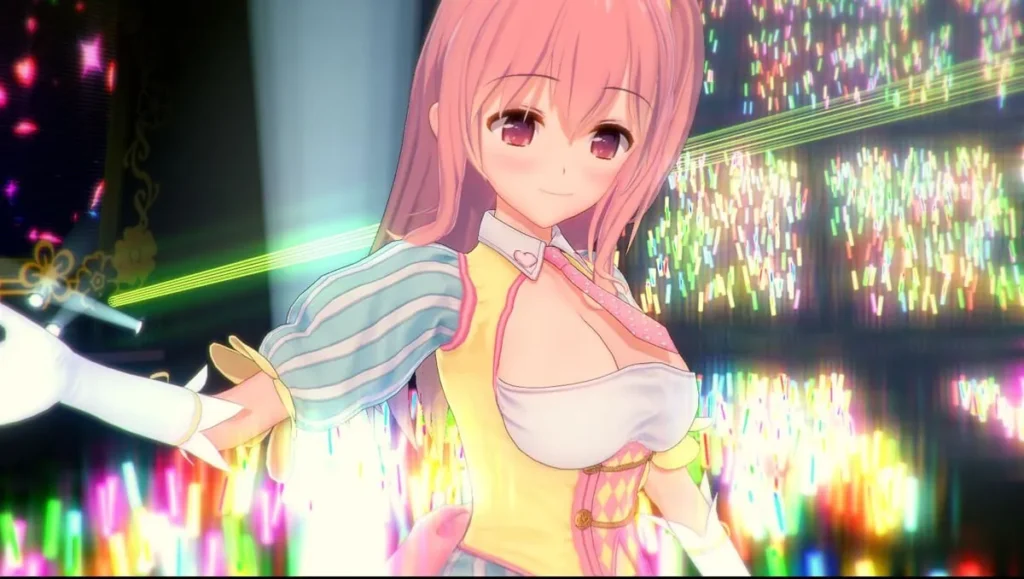
コイカツ! / Koikatsu Party is a 3D customizable adult simulation game developed by the Japanese studio Illusion. Released on Steam in 2019, this third-person dating RPG combines character creation tools with interactive gameplay mechanics set in a school environment. Whether you’re interested in the robust character customization system, understanding the core gameplay loop, or exploring the various features available, this guide covers everything you need to know about Koikatsu Party. The game has gained significant popularity for its extensive character creation options and sandbox-style gameplay that allows players to create their own experiences.
Getting Started: Character Creation and Customization
Welcome to the heart and soul of コイカツ! / Koikatsu Party! 🎭 If you’re anything like I was when I first booted up the game, you might be tempted to jump straight into the school life simulation. But trust me, you’ll want to linger here, in the character creation suite. This isn’t just a menu; it’s a sprawling, incredibly detailed digital workshop where your wildest anime character dreams become reality. The ability to create anime characters with this level of precision is the game’s crown jewel, a major reason for its enduring popularity.
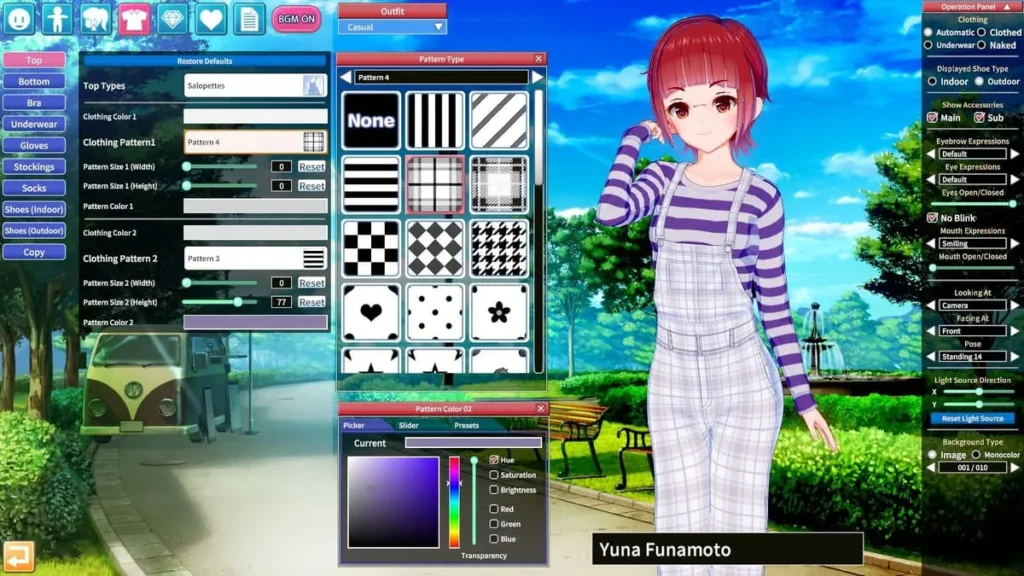
Forget needing a degree in 3D sculpting or mastering complex programs. Koikatsu Party hands you a set of intuitive, powerful character customization tools that feel like magic. You can tweak, twist, and tune almost every aspect of a character’s being, from the arch of an eyebrow to the sway of their walk. And the best part? You get to populate your entire school with up to 100 of your own unique creations, making every playthrough a personal story. Let’s dive in and start building your dream class!
How to Create Your First Character in Koikatsu Party
Starting can feel a bit overwhelming—there are so many buttons and sliders! My advice? Don’t try to build your magnum opus on the first try. Start simple, play around, and get a feel for the controls. Here’s a relaxed, step-by-step approach to get your first original character off the ground. 🚀
- Hit the “Make” Button: From the main menu, you’ll see the prominent “Make” option. This is your gateway to the Character Maker. Click it, and let the journey begin!
- Choose a Starting Point: You’ll be presented with a few default characters. Pick one that vaguely resembles the vibe you’re going for—it’s much easier to edit an existing template than to start from a blank, featureless model.
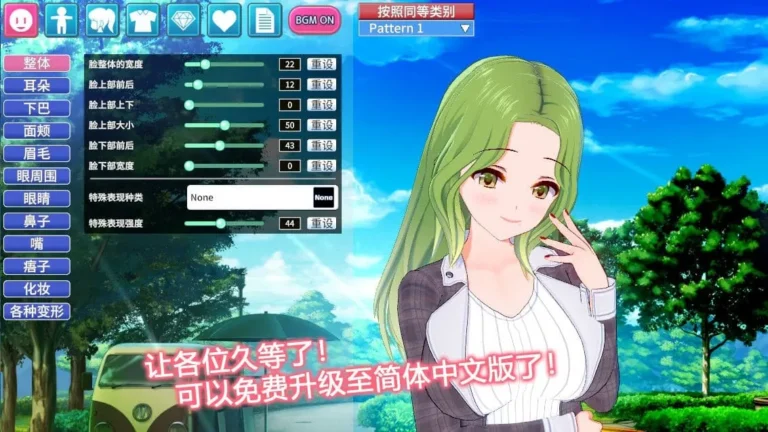
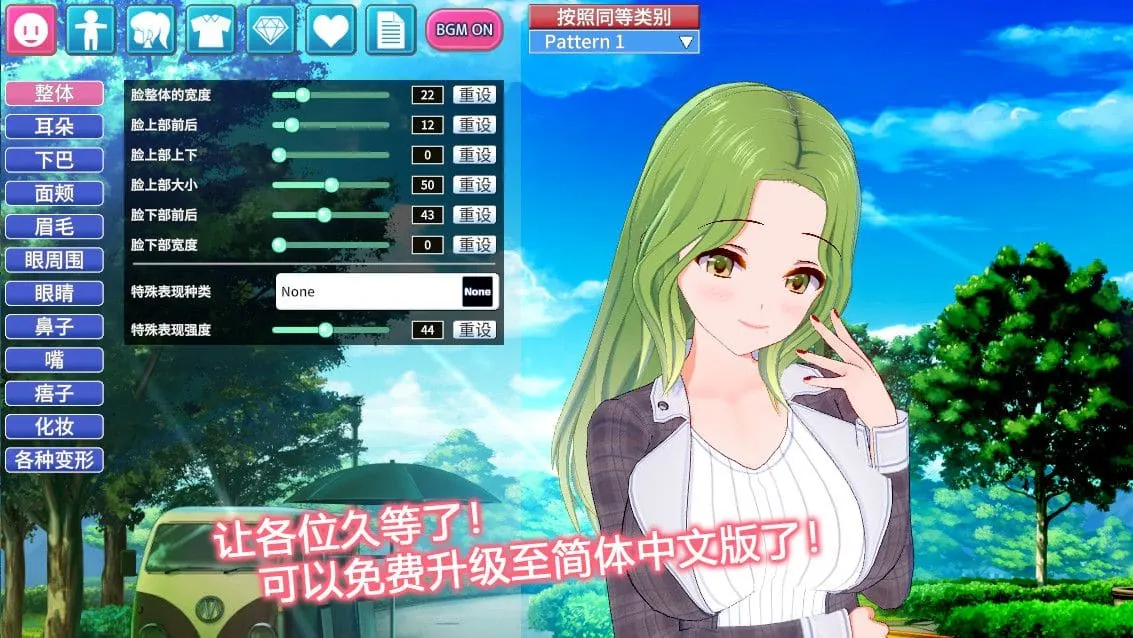
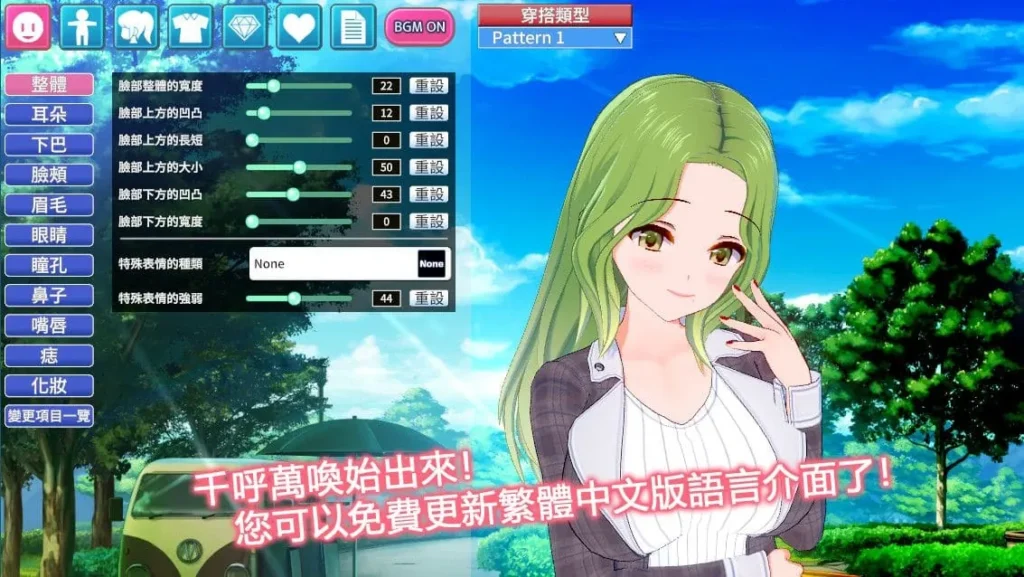
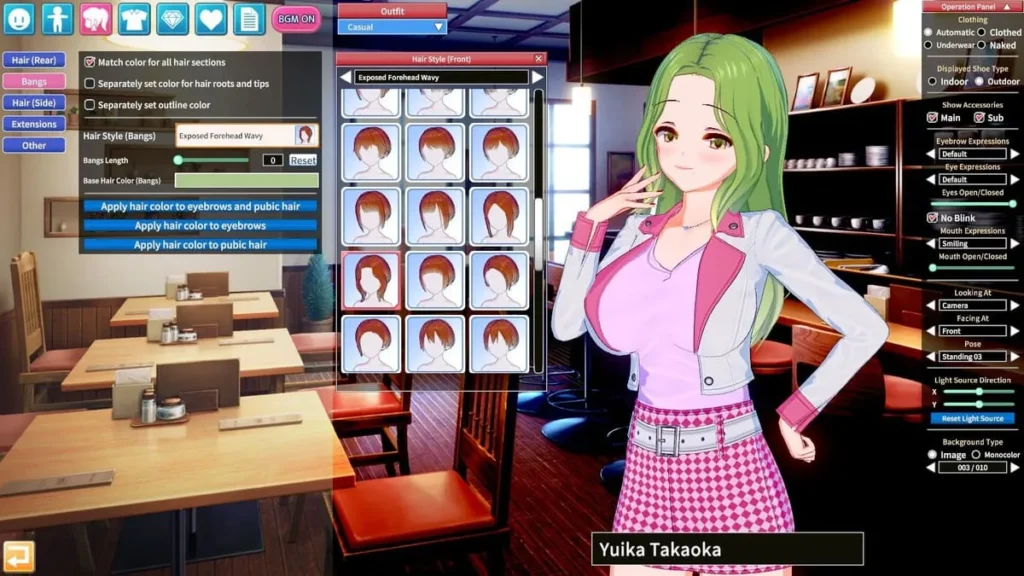
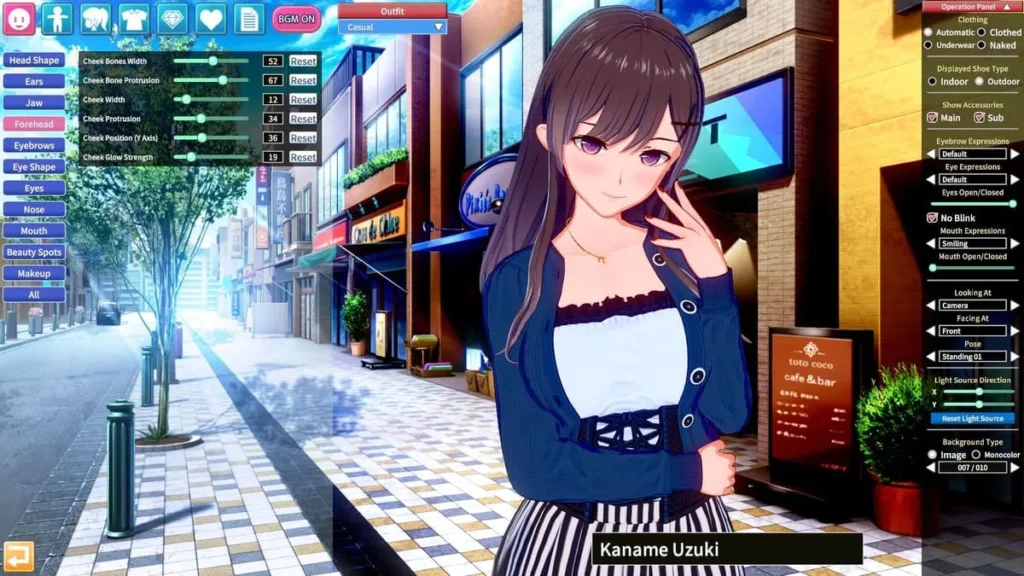
- Familiarize Yourself with the Interface: The screen will now be filled with tabs and sub-menus. The main categories are usually on the left (Face, Body, Hair, etc.), with the specific character customization sliders and options appearing on the right. Take a moment to just hover over things.
- Follow the “Guide” Order: A helpful tip I learned is to roughly follow the order of tabs from top to bottom. Start with the Face. Adjust the overall face shape, then move to eyes, eyebrows, nose, and mouth. The sliders are very responsive; a small move can make a big difference!
- Sculpt the Body: Next, move to the Body tab. Here you can adjust height, proportions, and muscle tone. Remember, the goal for your first character is exploration, not perfection.
- Style the Hair & Outfit: The Hair and Clothing sections are where personality really starts to shine. Pick a base hairstyle and then use the advanced tools to adjust every strand! Clothing is similarly detailed—you can change colors, patterns, and even the fit of each garment.
- Don’t Skip Personality! Before you save, click on the Personality or “Chara” tab. Here, you set their voice, speech patterns, and behavioral traits. These Koikatsu character personalities will dictate how they act and speak in the game world, adding crucial depth.
- Save Your Masterpiece: Once you’re satisfied (or just ready to be done), hit save. You’ll create your first character card—a PNG file that contains all your hard work. Name it something memorable!
Pro Tip: Rotate your character model constantly! Use your mouse to spin them around and check your work from every angle. A profile you love from the front might look completely different from the side. It’s a simple step that makes a world of difference.
Advanced Customization Tools and Features
Once you’ve got the basics down, you’ll discover that Koikatsu Party character creation is a deep, deep rabbit hole. 🕳️✨ This is where the game truly separates itself from any other character creator. The level of control is astounding. I remember spending an hour just perfecting the gradient in a character’s iris color—it’s that detailed!
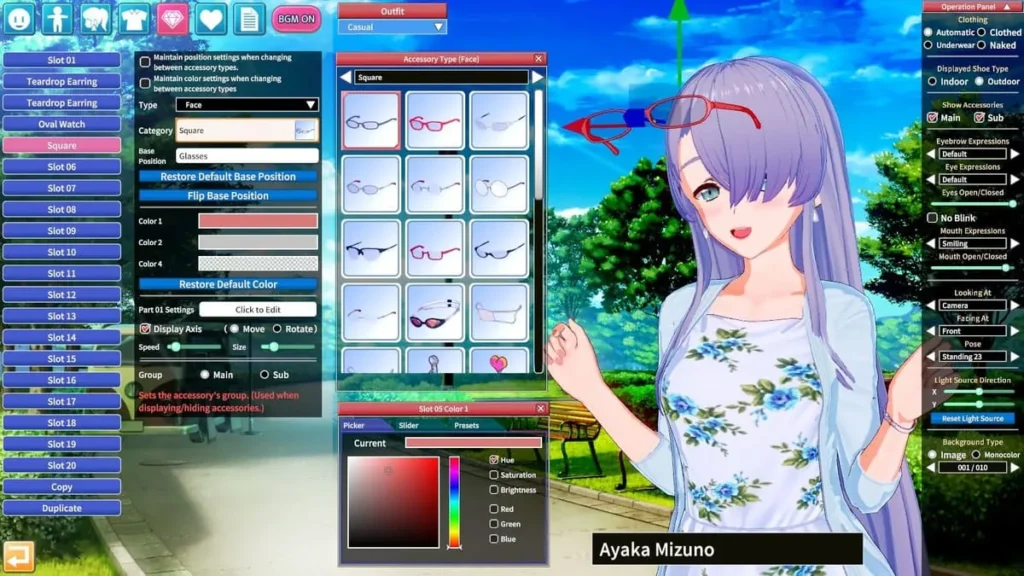
The real magic lies in the character customization sliders. They aren’t just for “bigger” or “smaller.” You have sliders for precise positioning (X, Y, Z axes), rotation, and even texture strength. Want to make a character blush more intensely on the cheeks than the nose? You can do that. Want to create a unique, asymmetrical hairstyle? The tools are there.
Let’s break down the scope of what you can adjust. The table below compares the main categories of customization available to you, showing just how comprehensive this system is.
| Category | Customization Examples | Impact on Character |
|---|---|---|
| Appearance & Body | Face shape presets, individual eye/ear/nose/mouth sliders, body proportions, skin details (tan lines, freckles, blemishes), nail color, teeth. | Defines the core physical identity and realism (or stylized fantasy) of your character. |
| Clothing & Accessories | Full outfit coordination, color/pattern/texture editing for each clothing piece, accessory placement (glasses, jewelry, hats), underwear sets, shoe types. | Expresses personal style, mood, and context (school, casual, fantasy, etc.). |
| Personality Traits | Voice type & pitch, speech style (polite, tsundere, genki), hobbies, love traits (what attracts them), behavioral patterns (shy, aggressive, lazy). | Dictates how the character interacts with the world and other characters, driving in-game dialogue and events. |
Beyond the sliders, explore the “Paint” options for detailed makeup and body art, and the “Motion” settings to give your character a unique idle pose or walk cycle. Setting the right Koikatsu character personalities is crucial—it breathes life into your creation. A character with a “Tsundere” speech pattern and “Bookworm” hobby will interact with the player and the world in a completely different way from a “Genki” athlete.
The character customization tools here are so robust that many players enjoy the creation process as a game in itself. It’s a sandbox for anime art fans. You can recreate characters from your favorite series with shocking accuracy, or let your imagination run wild with original concepts that would be impossible anywhere else.
Importing and Sharing Character Cards
Here’s a secret: you don’t have to build every single student in your school from scratch! 🤫 The community around コイカツ! / Koikatsu Party is one of its greatest strengths, and it revolves around the sharing of character cards Koikatsu. A character card is simply a PNG image file that contains all the data of a created character. To use it, you just place it in the correct folder, and the game does the rest.
This system means you can download character cards by the thousands. Want a school filled with iconic characters from various anime, video games, or even other Illusion titles? It’s possible. Looking for inspiration for your next original creation? Browsing community cards is the perfect way to see what’s possible with the character customization tools.
How to Import Character Cards:
1. Find a reliable repository or community hub for cards (these are often found on dedicated fan forums or Discords).
2. Download character cards you like. They will come as PNG files.
3. Place these PNG files into the UserData/chara/female or male folder in your Koikatsu Party directory.
4. Boot up the game, go to “Make,” and then “Load.” Your newly imported characters will be there, ready to edit or use as-is!
Sharing Your Own Creations:
Made a character you’re proud of? Pay it forward!
1. In the Character Maker, with your character loaded, click “Save.”
2. Ensure you save the card as a PNG.
3. You can now share this file with others. You might even upload it to a community site with tags describing its features.
A Word of Caution: Be mindful when you download character cards from the internet. Some advanced cards may require specific mods or clothing packs to display correctly. If a character loads with missing hair or invisible clothing, it usually means you don’t have the required mod asset. The community is generally good at listing requirements.
This ecosystem of sharing transforms the game. Your personal story can feature a cast of beloved characters from across fiction, or a curated group of the most stunning original designs the community has to offer. It keeps the Koikatsu Party character creation scene vibrant, constantly evolving, and endlessly inspiring.
Whether you spend 10 minutes or 10 hours on a single character, the process is incredibly rewarding. You start with a vision and a blank canvas of sliders, and you finish with a living, breathing (digitally speaking) person with their own look, style, and Koikatsu character personalities. It’s the ultimate creative toolkit for anime fans, and mastering it is your first step to building the perfect Koikatsu Party experience. Now go forth and create! Your dream school awaits. 🏫💖
コイカツ! / Koikatsu Party offers a comprehensive simulation experience centered around character creation, relationship building, and creative expression. From the intuitive character customization tools that require no prior 3D modeling knowledge to the flexible gameplay mechanics that support both structured progression and sandbox exploration, the game provides multiple ways to engage with its content. The robust studio mode and active modding community extend the game’s longevity, allowing players to create and share custom scenes and characters. Whether you’re drawn to the character creation system, the interactive school environment, or the creative possibilities of scene building, Koikatsu Party delivers a feature-rich experience. With reasonable system requirements and continuous community support through mods and enhancements, the game remains accessible to a wide range of players. Start by exploring the character creation tools, progress through school interactions at your own pace, and discover the creative potential that makes Koikatsu Party a unique simulation experience.